This page describes the current version of the app. What each version changed is listed under Releases.
01
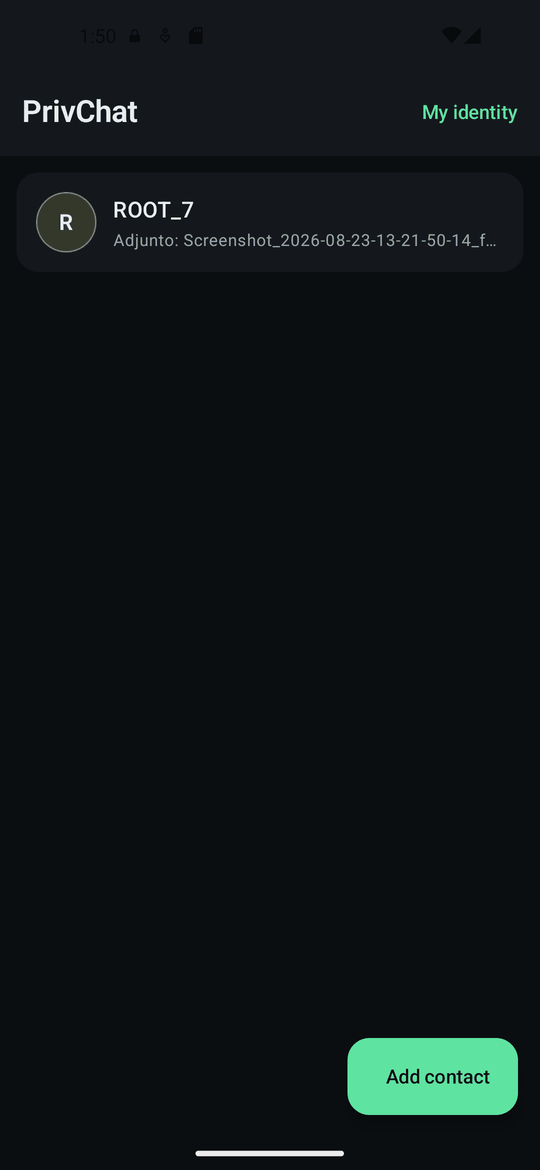
The first screen is your home
The first time you open the app it generates your identity and stores it encrypted on the phone. Nothing is sent anywhere and nothing is asked of you — there is nobody to register with.
The list starts empty. Your contacts live here, and so do the groups and channels you join. The tabs at the top filter the list — All, Unread, Contacts, Groups, Channels — and you can create your own folders holding any mix of chats: long-press a chat and choose Tabs…, or use the + at the end of the row. Like everything else, folders live only on your phone, encrypted. The New button creates a contact, group or channel; everything else happens from My identity, at the top right.
02
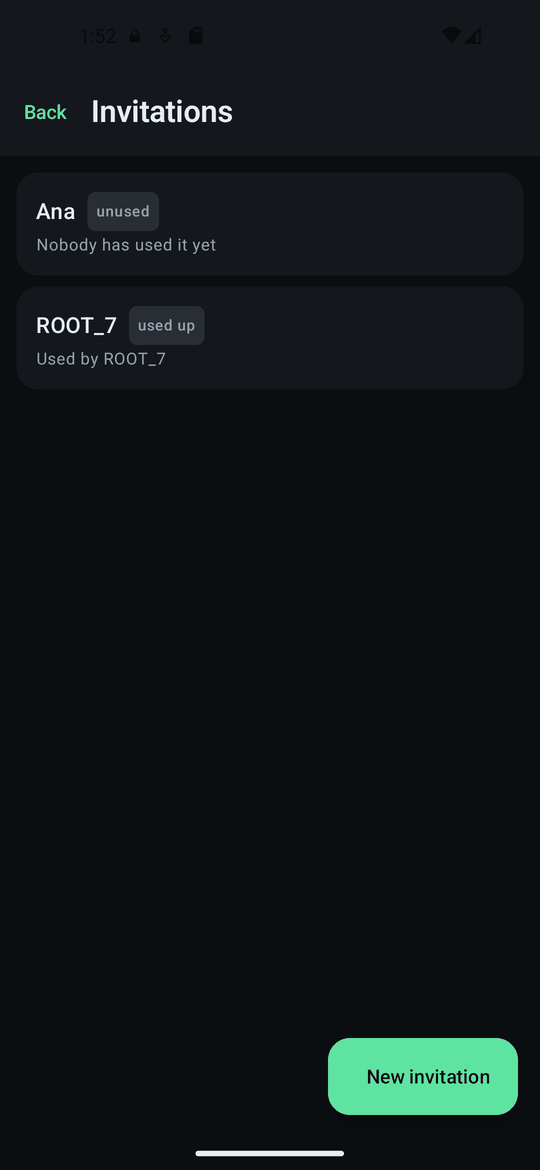
Create one invitation per person
An invitation is a code you give to one specific person. You give it a name — that name stays on your phone and never travels inside the code — and the app uses it to know who is writing the first time they do.
Each invitation works once. As soon as the person it was for has used it, anyone else presenting the same code is refused. That is why there is one per contact instead of a single code you hand around.
03
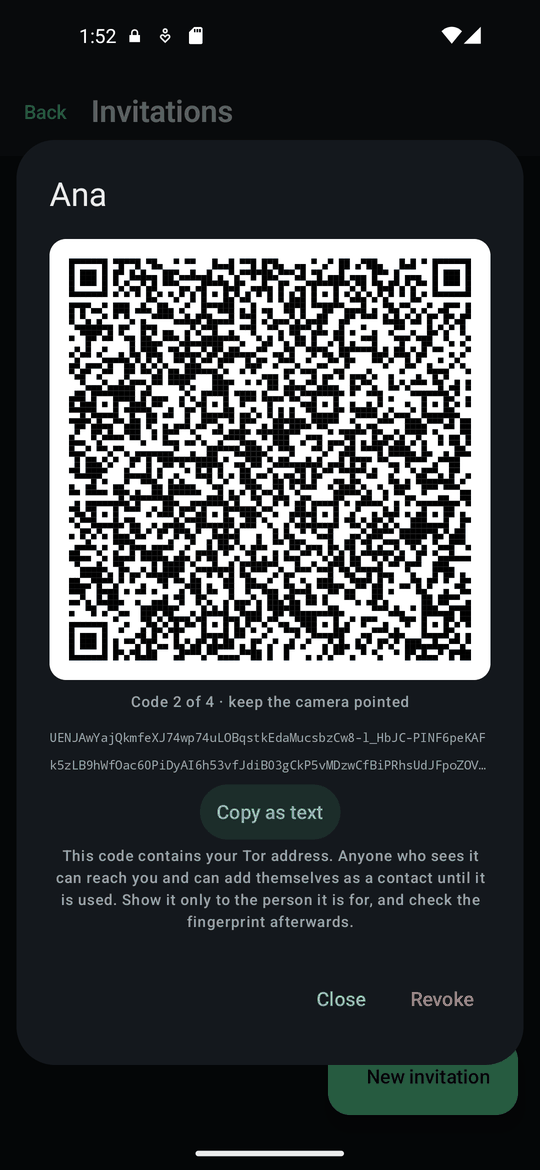
Show the code, they scan it
The code is a single, ordinary QR. It does not carry your keys — with post-quantum signatures they would not fit in a hundred codes — but a fingerprint of them and your address. The other phone scans it, fetches the keys from your phone through Tor and checks them against that fingerprint before it trusts anything. Until then the contact shows as «fetching keys»; it takes a few seconds, sometimes a minute.
If you would rather send it through another app, Copy as text gives you the complete invitation as text — keys included, so it works even if your phone is off when they paste it. Since 2.2 that text is valid for 28 days, and whoever pastes it needs 2.2 as well; on 2.1, ask them to scan the QR instead.
Bear in mind what the code contains: your Tor address. Anyone who sees it can reach you, so show it only to the person it is for.
04
Your identity and its fingerprint
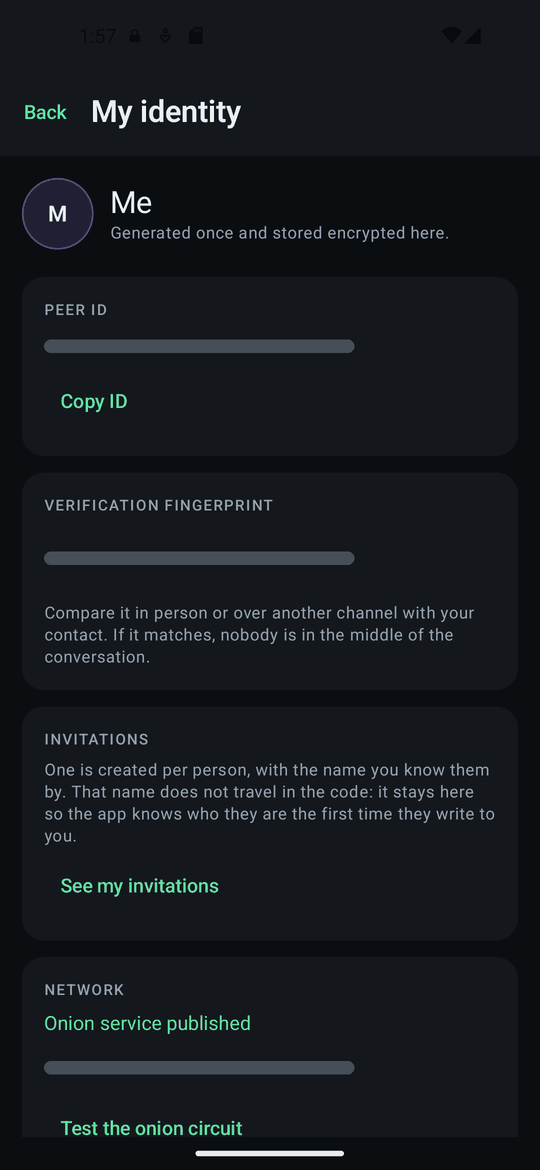
Your identity has a verification fingerprint: a row of digits, shown here. Your contact has one too. It is what you compare to be sure nobody slipped in between you — the next step.
The peer ID and the fingerprint are covered up in this screenshot on purpose: they identify a specific phone, and this page is public.
05
Verify your contact, once
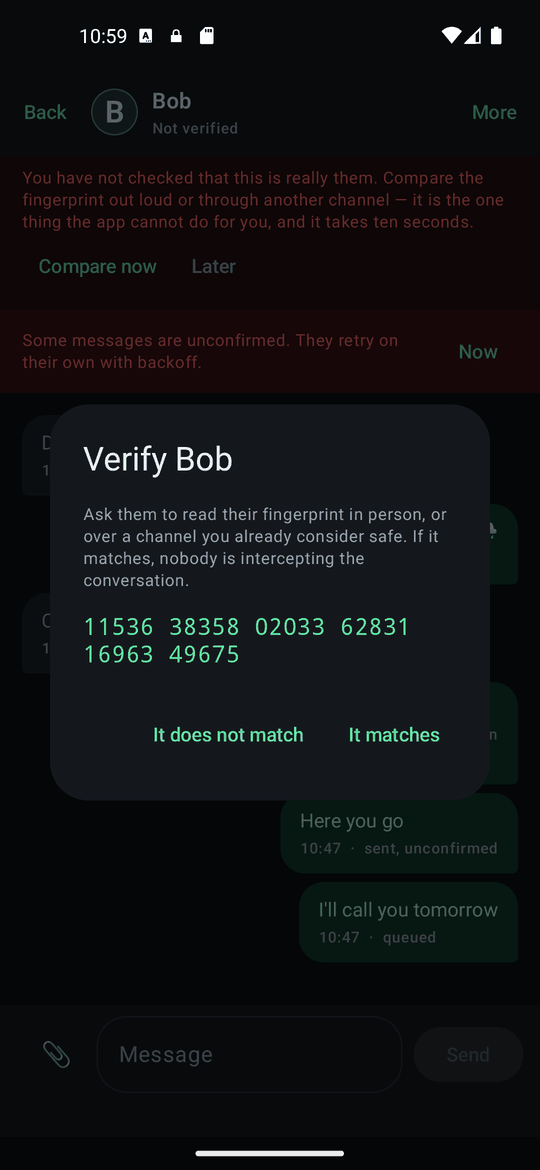
Until you check that a contact is really who they say, the chat shows a reminder. Tap Compare now: the app shows their fingerprint, the same row of digits they see on their phone. Read them to each other, or compare over another channel.
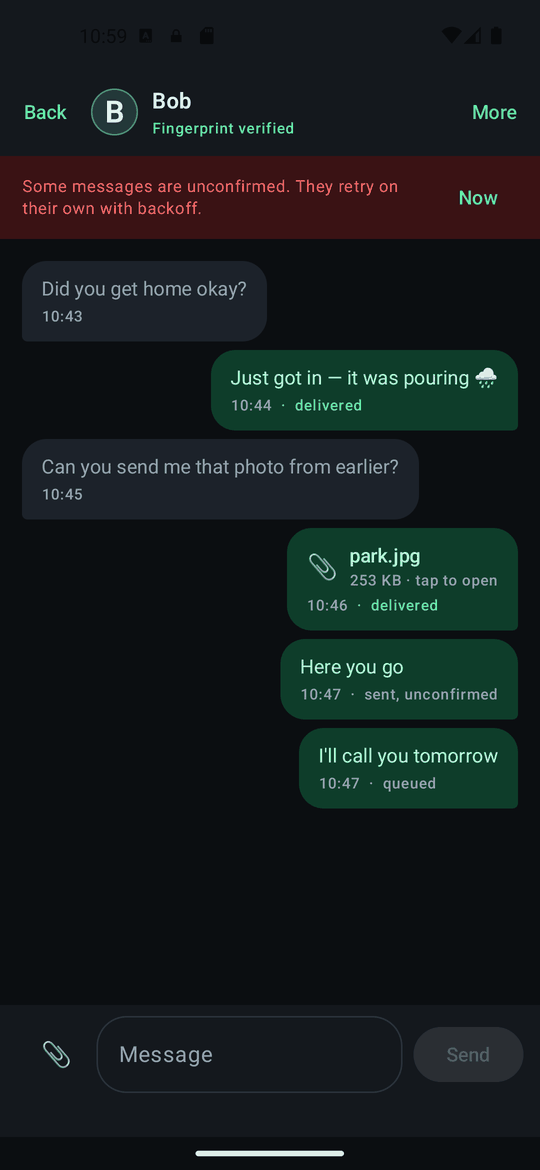
If they match, tap It matches. The chat header then reads Fingerprint verified and the reminder is gone. This is the one thing the app cannot do for you, and it takes ten seconds.
06
Writing, and what the states mean
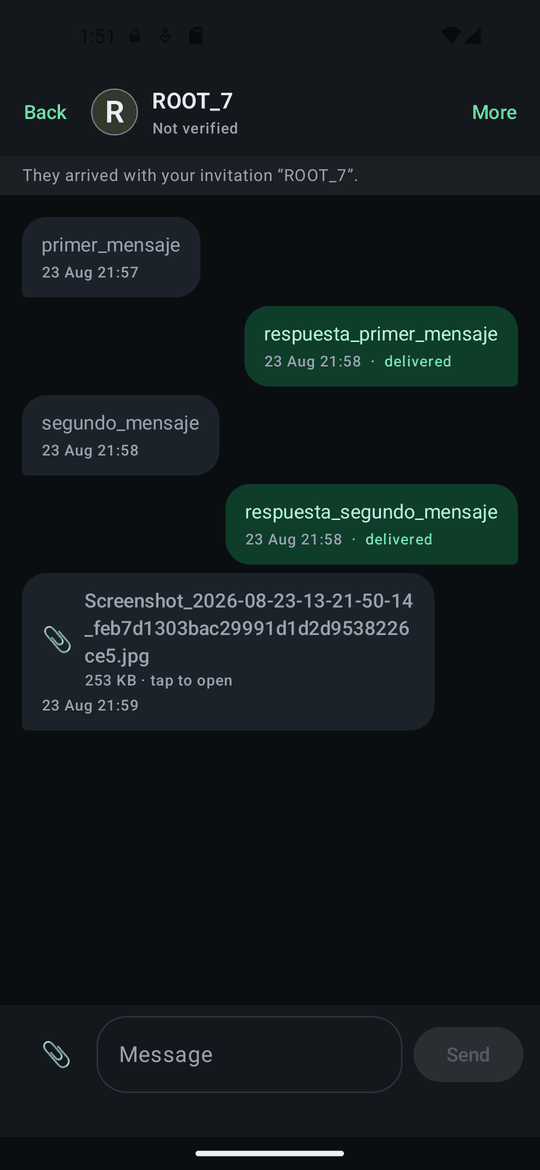
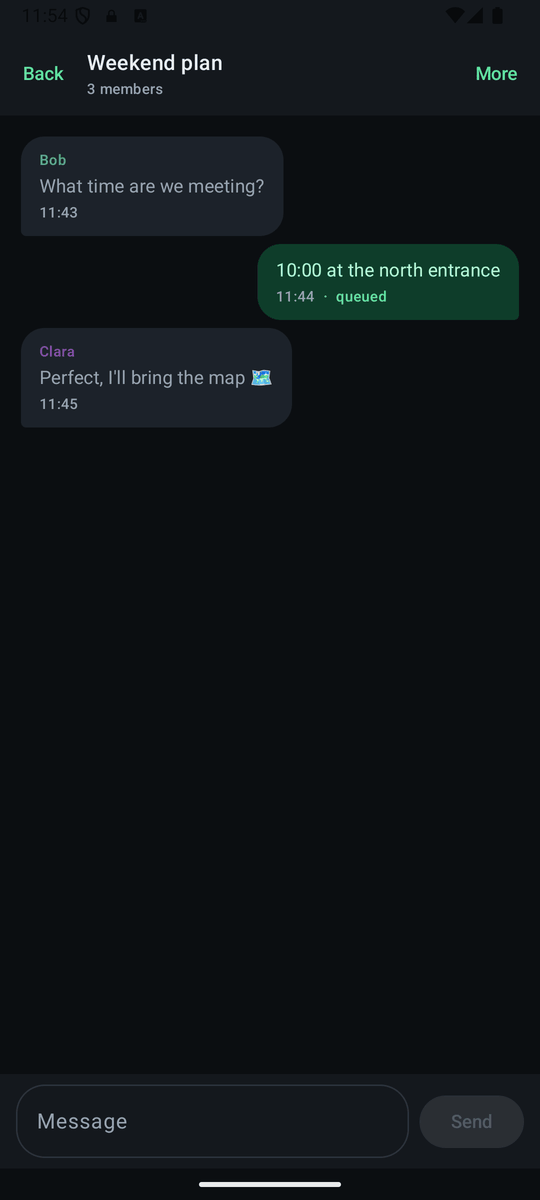
Under each message you sent there is a state, and it means something precise because there is no server keeping your messages:
- queued — the other phone is not reachable right now. The message is waiting on your phone and keeps retrying.
- sent, unconfirmed — it went out, but their phone has not acknowledged it yet.
- delivered — their phone confirmed it. Nobody else could have.
A message that stays queued does not mean anything is broken: it means they are offline. There is no inbox in the sky to leave it in.
07
Photos, files, voice notes and video
The 📎 button beside the message box opens the attach menu: File, Scan document, Photo from gallery, Take a photo and Record a video; with the box empty, the microphone records voice notes. Everything travels through the same encrypted conversation as text and is stored encrypted on the phone.
Photos. Whether from the gallery or the built-in camera, they are re-compressed before they leave, which strips the hidden metadata a photo normally carries — the GPS coordinates of where it was taken, your phone model, the real capture date. You can add a caption, and send them for a single view: they are deleted once closed.
Files of any size. A document goes out as it is, with no practical limit: the protocol's ceiling is about 64 GB. It is sent in pieces with a bar showing how far it has got, and if you close the app, restart or lose the network, it carries on where it left off. From 32 MB the app first tells you how big it is and how long it may take, because over Tor a large file means minutes or hours; above 512 MB the other side needs a recent version and your phone keeps no second copy. The file name travels encrypted, but as it is: if it says something you would rather not tell, rename it first. What you receive opens with whatever app you have for that type of file; Save takes it out of PrivChat's protection, which is why it warns you first.
Scanning documents. "Scan document" turns paper into a PDF: the camera finds the page on its own and shoots when it holds still (or with the button), you adjust the corners if needed, choose color, grayscale or black and white, reorder, rotate or remove pages and give it a name, up to 300 pages per document. You can also add photos you already have. It all happens on the phone, without Google's or anyone else's services: the PDF carries no metadata and is sent like any other file. On the computer the same feature is called "PDF from images" and works with photos you already have; on iPhone it uses the system's own scanner.
Voice notes and video. Hold the microphone to record a note and release to send it (slide left to cancel), or tap it to record without holding your finger down. Video messages last up to one minute. Notes and videos are recorded straight into the encrypted conversation and are shown and played inside the app, without ever writing anything unencrypted to the phone.
In groups there is only text for now: attachments are for one-to-one chats and My notes.
08
Links come with a warning
A link in a message is tappable, but tapping it does not open it straight away: a warning first shows you the full address and reminds you that opening it leaves the app and leaves Tor, so the site will see your real IP and when you visited. You choose whether to open it, copy it, or neither. There are never link previews — those would fetch the page the moment the message arrived, a request you never made.
Press and hold any message for the rest: reply, copy, select part of the text, forward it to another contact, or delete it from this phone.
09
Groups of up to 200
A group holds up to two hundred people, run by whoever created it. There is still no server: a group message leaves your phone once per member, over the same encrypted one-to-one sessions as everything else — which is why groups are text-only, and why the app states the data cost before you create or join one. With more than sixteen members, everyone needs version 2.15 or later; the app tells you who is missing.
The member list is signed by the group's admin, so nobody can be slipped in unnoticed. Members who did not know each other are introduced through the group securely, without anyone forwarding invitations by hand. One thing to know before accepting: the members of a group can learn your Tor address — the app tells you exactly that on the invitation screen.
10
Channels: one-way, with anonymous readers
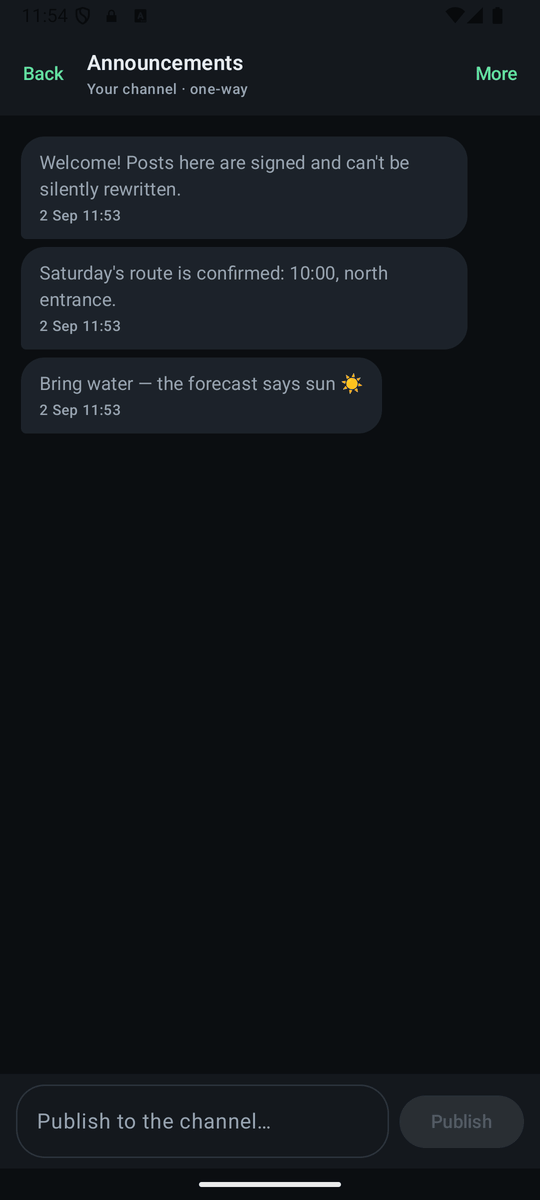
A channel is a one-way broadcast: one person publishes, any number of people read. A channel you create gets its own Tor address and its own signing key, with no link to your messaging identity — publishing does not reveal who you are or how to message you.
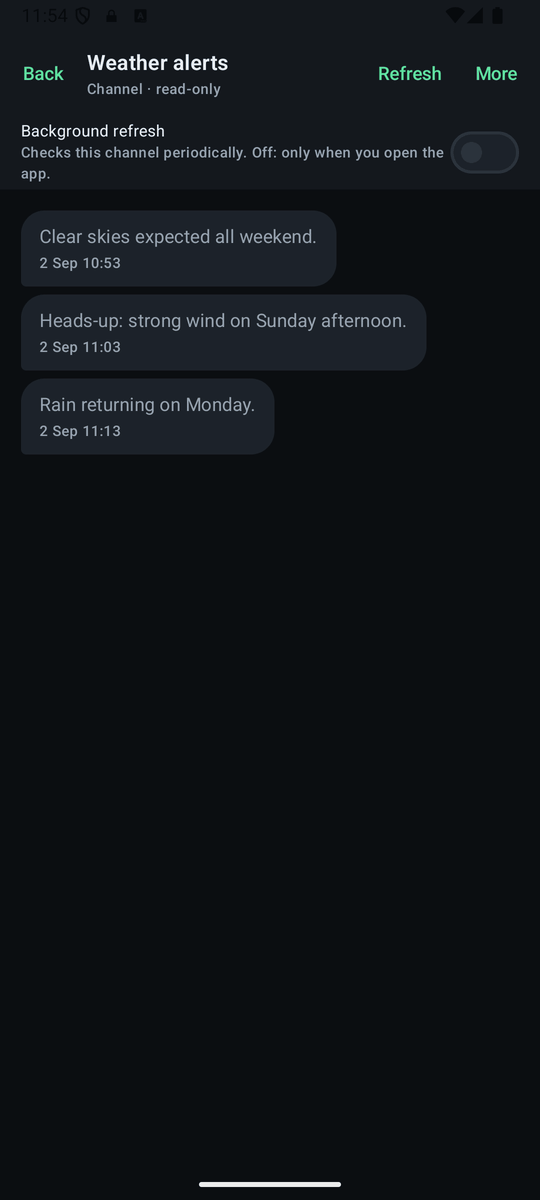
Readers join with an invitation (QR or text) and fetch new posts over an anonymous circuit. The publisher cannot see who reads — only that the channel was polled, never by whom. Every post is signed by the channel and chained to the previous one, so history cannot be rewritten without readers noticing. By default the channel only updates when you tap refresh; a per-channel switch adds periodic background checks if you want them.
11
Bots: a contact that is a program
A bot is a PrivChat node without a screen that someone runs on their own server. To the app it is just another contact or channel: same identity, same encryption, same Tor. There is no bot directory and no @names: you get its invitation like anyone else's and paste or scan it the same way.
Two things worth knowing. A bot's channel learns nothing about you: readers are anonymous by protocol, for a program too. Messaging a bot 1:1 gives its operator what any contact gets — your identifier, your Tor address and what you write — only concentrated on one server. And nothing tells you a contact is a bot, because on the wire there is no difference: if the operator publishes the bot's verification code, verify it as you would a person.
Want to run one, or program your own? The bots page explains what a bot sees and what it doesn't, how to set one up on a server or a Raspberry Pi, and its local API.
12
If you want to support it
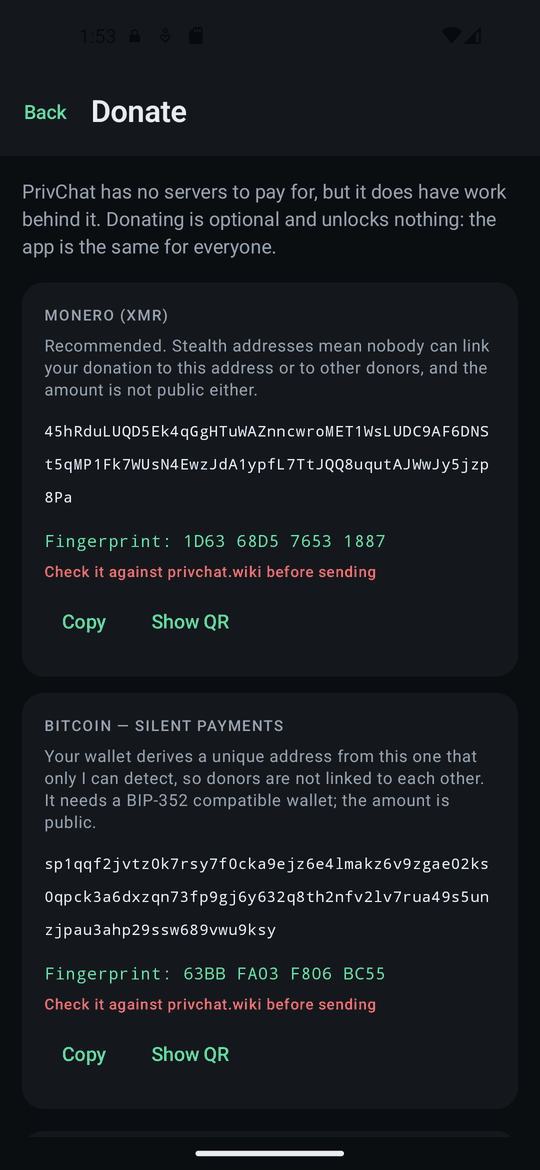
The app is free and has no ads. The donation screen shows an address and, next to it, a short fingerprint.
Compare that fingerprint with the one on this site before sending anything. If someone rebuilt the app with their own address, that is how you find out. It is the same gesture as verifying a contact.
13
If Tor is blocked where you are
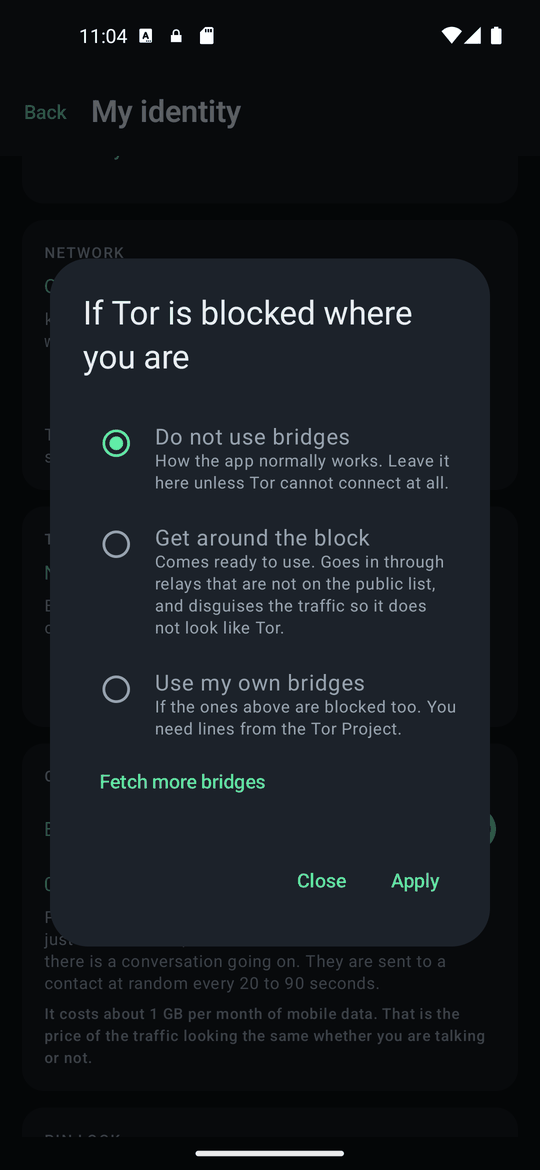
From My identity → Tor bridges → Set up. Most people never need this. Where Tor itself is blocked, the middle option, Get around the block, comes ready to use: it goes in through relays that are not on the public list and disguises the traffic so it does not look like Tor.
If those are blocked too, Use my own bridges takes lines from the Tor Project. Fetch more bridges asks for a fresh set over your existing connection.
14
Checking it really works
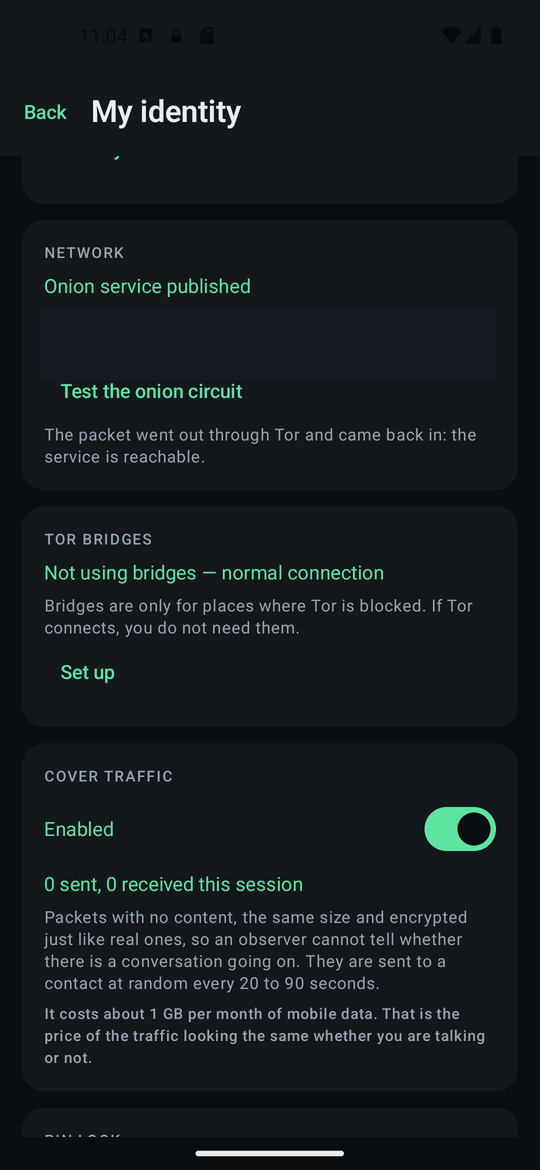
Under Network, Test the onion circuit sends a packet to your own address through Tor and waits for it to come back. If it does, your phone is publishing and reachable end to end — "published" and "reachable" are two different things, and this checks the second.
15
Locking with a PIN
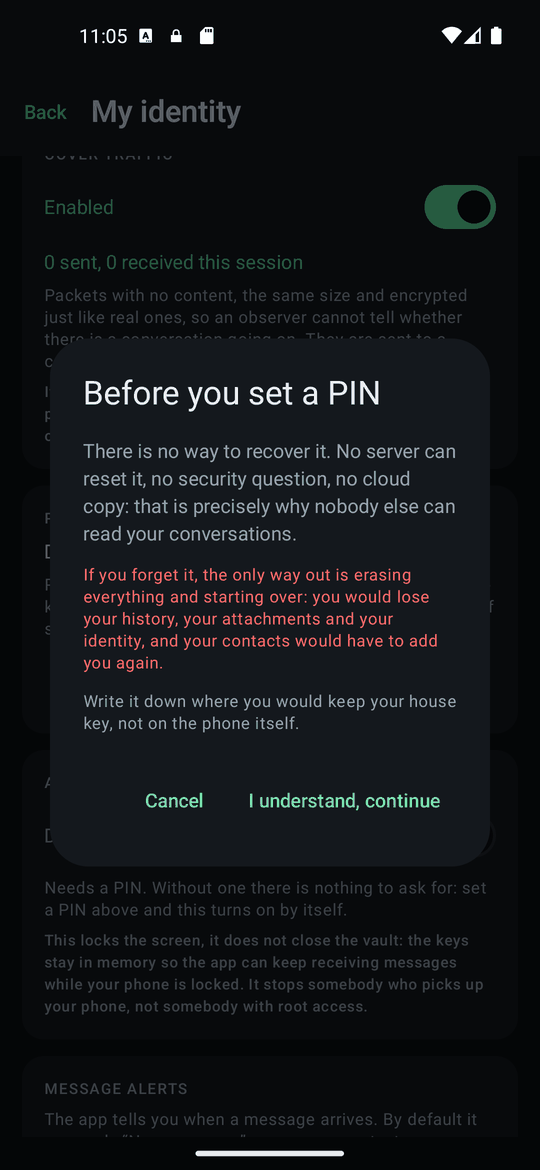
Setting a PIN means the encryption key needs two halves: your PIN and a secret held by the phone. Neither is enough alone, so a copy of your data is useless to anyone without you. There is no recovery — nobody can reset it, and that is the point. Write it down where you keep your house key, not on the phone.
With a PIN set, the app also asks for it again after a minute in the background, so someone who picks up your unlocked phone cannot simply open it.
16
No internet: in person or by hand
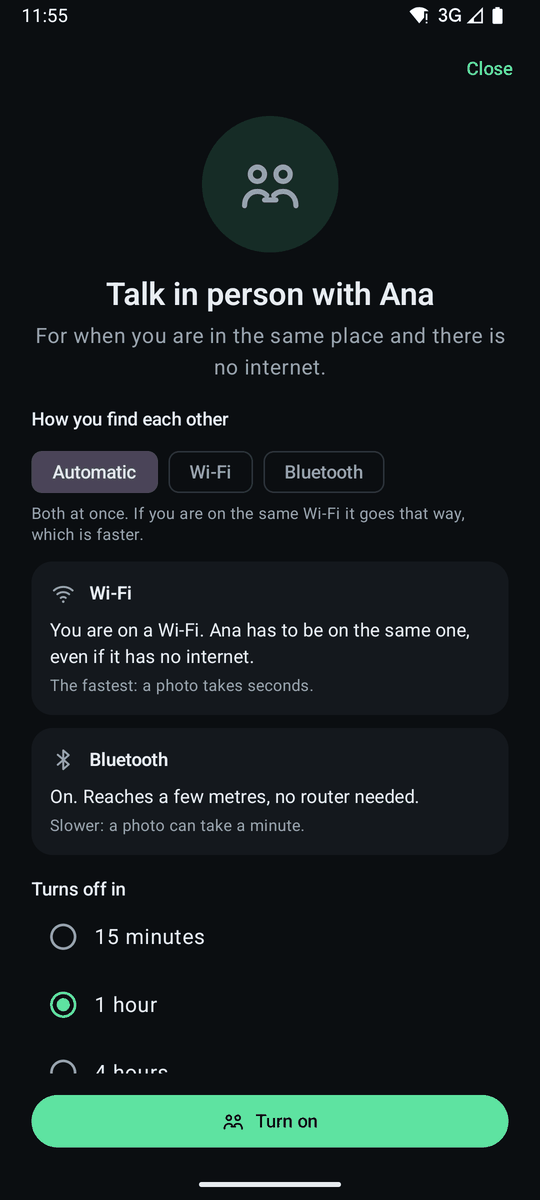
If you are with a contact in the same place and there is no internet, open the conversation, tap More and choose Talk in person. Its screen opens: you choose how you find each other — Automatic (both at once), Wi‑Fi or Bluetooth — and how long it stays on (15 minutes, 1 hour or 4 hours), and tap Turn on. You both have to turn it on, each for the other. Over the same Wi‑Fi, even one with no way out to the internet, it is faster: a photo takes seconds. Bluetooth (between Android phones) reaches a few metres with no router, but a photo can take a minute. If there is no Wi‑Fi, on Android you can tap Create a network here: your phone becomes the network and the other person joins it with the name and password shown. While it is on, an icon in the conversation header shows how long is left; tap it to go back to the screen, switch route or turn it off. The default duration is set in Settings.
What changes while it is on: anyone nearby with a scanner can tell that someone is using PrivChat, and see when and how much you talk, though not what or with whom. Over Tor that is not visible. The app never looks for anyone and never relays anything through third parties.
If you are not in the same place, Carry messages saves what is pending for that contact in a file that only they can open and that does not even say which app it comes from. Carry it on a USB stick, send it any way you like or give it to someone who will see them; they open it with Import a package and the messages appear as if they had arrived over the internet. While the package travels, those messages are not sent over the internet; if in the meantime you talk several times by another route, they go out on their own and the package stops being valid, without anything being lost.
On the computer, In person works over the local network. On the iPhone, the package comes with its next version.
17
The Mailbox: your messages wait for you at home
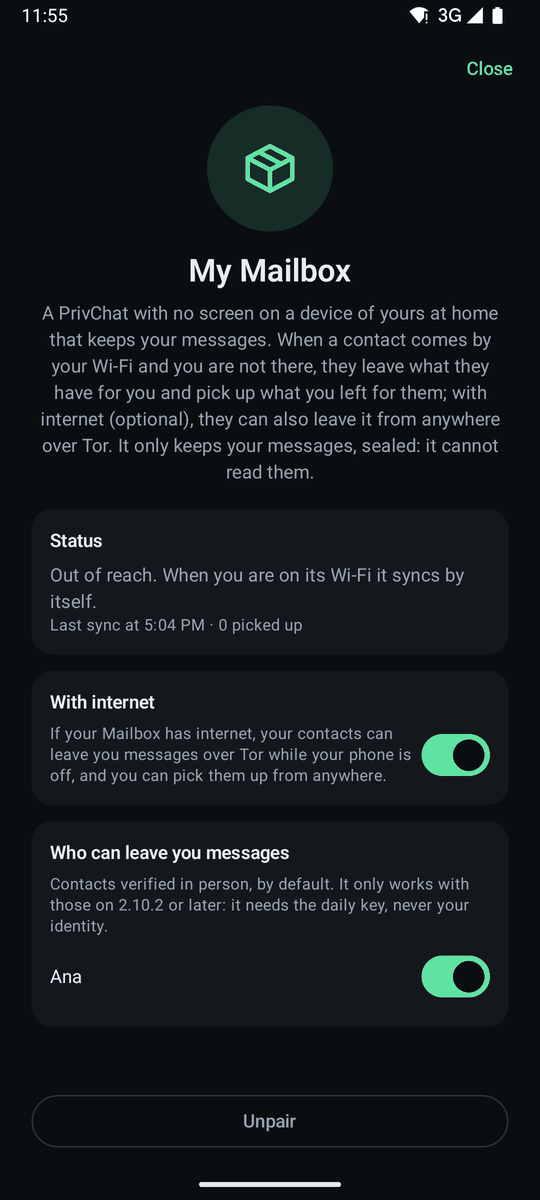
A Mailbox is PrivChat with no screen on a device of
yours at home — a Raspberry Pi or a computer that stays on — running the
PrivChat bot with privchat-bot --buzon run. When you are out, a
contact who comes by your Wi‑Fi leaves it what they have for you and picks
up what you left for them; when you get back, your phone collects it by
itself. You pair it in Settings → My Mailbox: paste the
invitation from privchat-bot buzon invitar, and the first
phone that uses it becomes its owner.
With With internet turned on (optional; off by default), your contacts can also leave you messages over Tor while your phone is off, and you pick them up from anywhere.
It only keeps what is yours, sealed: it cannot read it, and it never holds your identity. You choose who can leave you messages (by default, contacts verified in person; they need 2.10.2 or later). If it is stolen, it reads nothing and within about 48 hours it no longer recognises anyone; you unpair it from your phone. On the computer it is in Settings too. How to set up the bot: the bots guide.
18
The LoRa mesh: over the radio, with no internet and no coverage
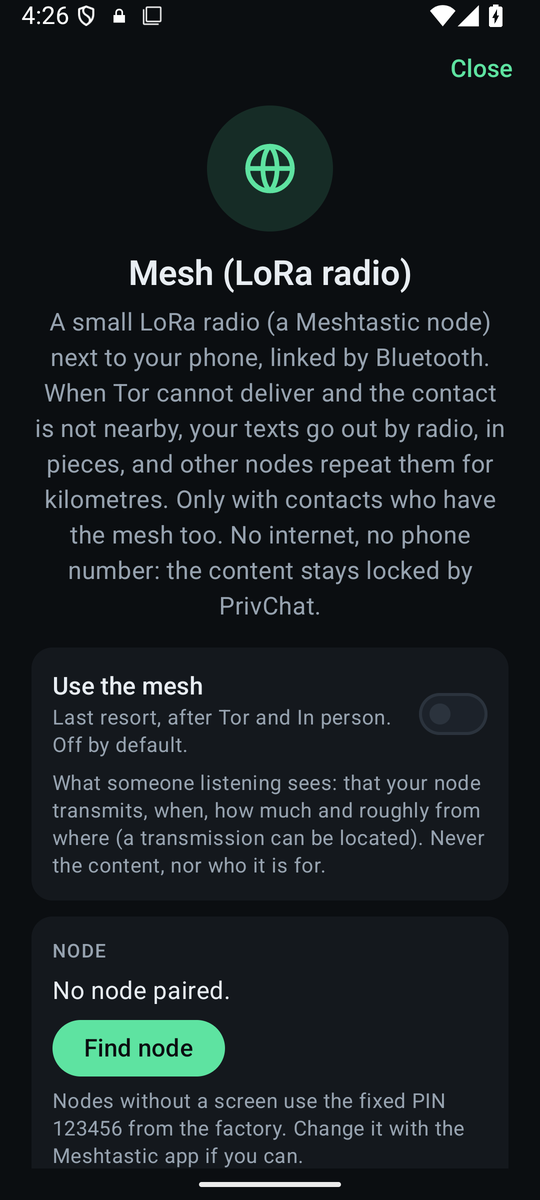
A small LoRa radio — a Meshtastic or MeshCore node (PrivChat recognises which when you connect it; by radio you only reach people on the same network), such as the Seeed XIAO ESP32S3 with Wio‑SX1262 we use ourselves — next to the phone, linked by Bluetooth. In Settings → Mesh: Find node, the node's PIN, and the Use the mesh switch (off by default). It is the last resort, after Tor and "In person": when neither delivers, the text goes out over the radio in pieces and other nodes repeat it for kilometres. Only with the contacts you tick on that screen ("By radio with"; they are ticked by themselves when heard by radio, and each one needs a node too), and only text and confirmations: photos and video wait for another route. The content stays sealed by PrivChat; the radio never sees it.
What to expect: the message shows "by radio", and "delivered" only when the other side's confirmation arrives, which also comes back over the radio: minutes, not seconds. A text is about 17 seconds of air time. In the US (902–928 MHz, up to 30 dBm) there is no legal limit on air time, but PrivChat keeps itself to 10 % of each hour anyway, so one app never hogs a mesh that belongs to everyone: about ten messages with their confirmation per hour. (In Europe and the UK the 868 MHz band makes that 10 % a legal limit, and the node itself enforces it.) The mesh screen shows the air used, counting also what your node repeats from others. When it runs out, messages wait and go out when their turn comes: do not re-send them by hand.
Your Mailbox with a node acts as a gateway: away and offline, you leave it what you have by radio and it delivers over Tor, and you collect what was left for you. With a contact you can open an own mesh: a channel with its own name and key, shared by an encrypted message. What a listener sees: that your node transmits, when, how much and roughly from where (a transmission can be located); never the content or the recipient. On the desktop the node connects over USB.
19
My notes is also your calendar
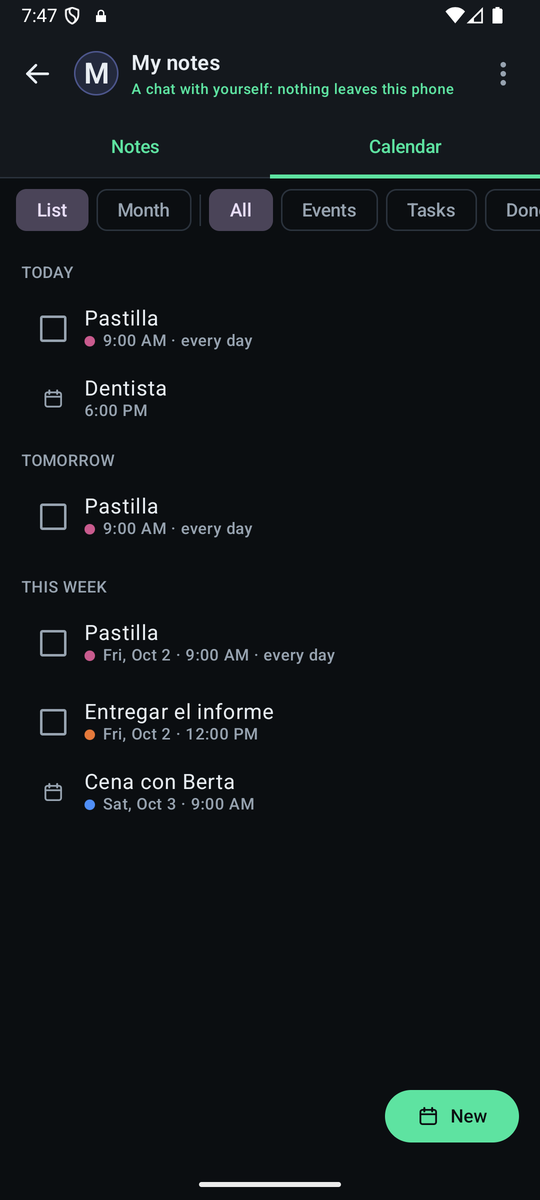
My notes, the chat with yourself, has two tabs since 2.12.0: Notes, the usual chat, and Calendar. Write a note and tap the calendar next to "Send": pick the day and time (or one of the quick options), whether it is a task with a checkbox, whether it repeats (daily, weekly, monthly, yearly or your own way), when to remind you (up to three reminders: at the time, or minutes, hours or days before) and a colour label. From any other chat, Remind me and Forward → My notes do the same with a message you care about.
The Calendar tab sorts it by day — overdue, today, tomorrow, this week,
later, no date — or in a month view. Tap an entry to mark
it done, snooze it ten minutes, an hour or until tomorrow, skip just this
time or change its date. A note whose lines start with [ ]
becomes a checklist; the list button in the composer
writes them for you.
Everything stays on your phone: the calendar does not use the system calendar, has no widget and does not sync anywhere. So that a reminder can go off even if the phone has closed the app, the system is only given the time of the next reminder, never the text; with a PIN set and the app closed, the notification says you have a reminder, but not which one, until you unlock. On the computer, reminders notify you while PrivChat is open; on the iPhone, with the app closed they also only say there is a reminder.
20
Settings worth knowing about
Disappearing messages
From a chat's ⋯ menu you can set messages to disappear from both phones after 1 hour, 24 hours or 7 days, counting from when they are delivered. Off by default. The same menu holds a local search of the conversation, which never leaves the phone.
Panic PIN
With a PIN set, you can add a second one — a panic PIN — that wipes everything the instant it is entered on the unlock screen, instead of opening the app, for when someone forces you to unlock it. It looks exactly like a normal unlock, so it cannot be told apart. And once a PIN is in place, none of these protections can be turned off or removed without entering it: not the app lock, not the panic PIN itself.
Cover traffic
On by default. The app sends packets with no content, the same size and encrypted just like real ones, so that somebody watching your connection cannot tell whether you are having a conversation. It costs roughly 1 GB a month of mobile data, which is why the switch exists — and why the cost is written next to it.
If you turn it off, turning it back on the day you have something to hide is exactly the pattern that gives you away. It is worth leaving on from the start.
If Android is limiting the app
To receive messages with no server in between, the app keeps a small background service running. Some phones put it to sleep to save battery, and then messages only arrive when you open the app. If My identity shows a card saying Android is limiting the app, open the app's settings from there and allow it to run in the background. It is the price of there being no server holding your messages meanwhile.
Blocking screenshots
Off by default, because it also blocks the screenshots you want to take, and the app cannot know which case is yours. Turned on, Android refuses screenshots and screen recordings, and replaces the app's preview in the recent apps list with a blank screen.
Moving to another phone
From My identity you can take your identity, your address and your conversations to another phone in a single file, protected by a passphrase you choose and by your PIN. Both are needed to open it, and the old phone stops when you export, so nobody's conversation breaks.
Update both phones before you move. From 2.4.0 the move file uses a new key format, and an older version cannot open it. If the destination phone is on 2.3 or earlier, update it first.